 OVER
20 DIFFERENT MODELS AVAILABLE
OVER
20 DIFFERENT MODELS AVAILABLE
Click Here to View All PalmVID WiFi Series Hidden
Cameras
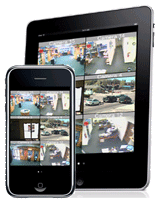
PalmVID WiFi Series Hidden Cameras can be Viewed Live, Recorded, and Played-Back
from anywhere over the internet on almost any device!
Test drive the Live Demo now using one of the methods below:
 |
PalmVID Custom WiFi Series
Hidden Camera Models
Live Demo 1:
Live View Using
the Free App Software
for Tablets or Smart Phones
Try this Live Demo for
ALL iPhones
and iPads,
and for all Android Smartphones and Tablets
|
|
|
|
|
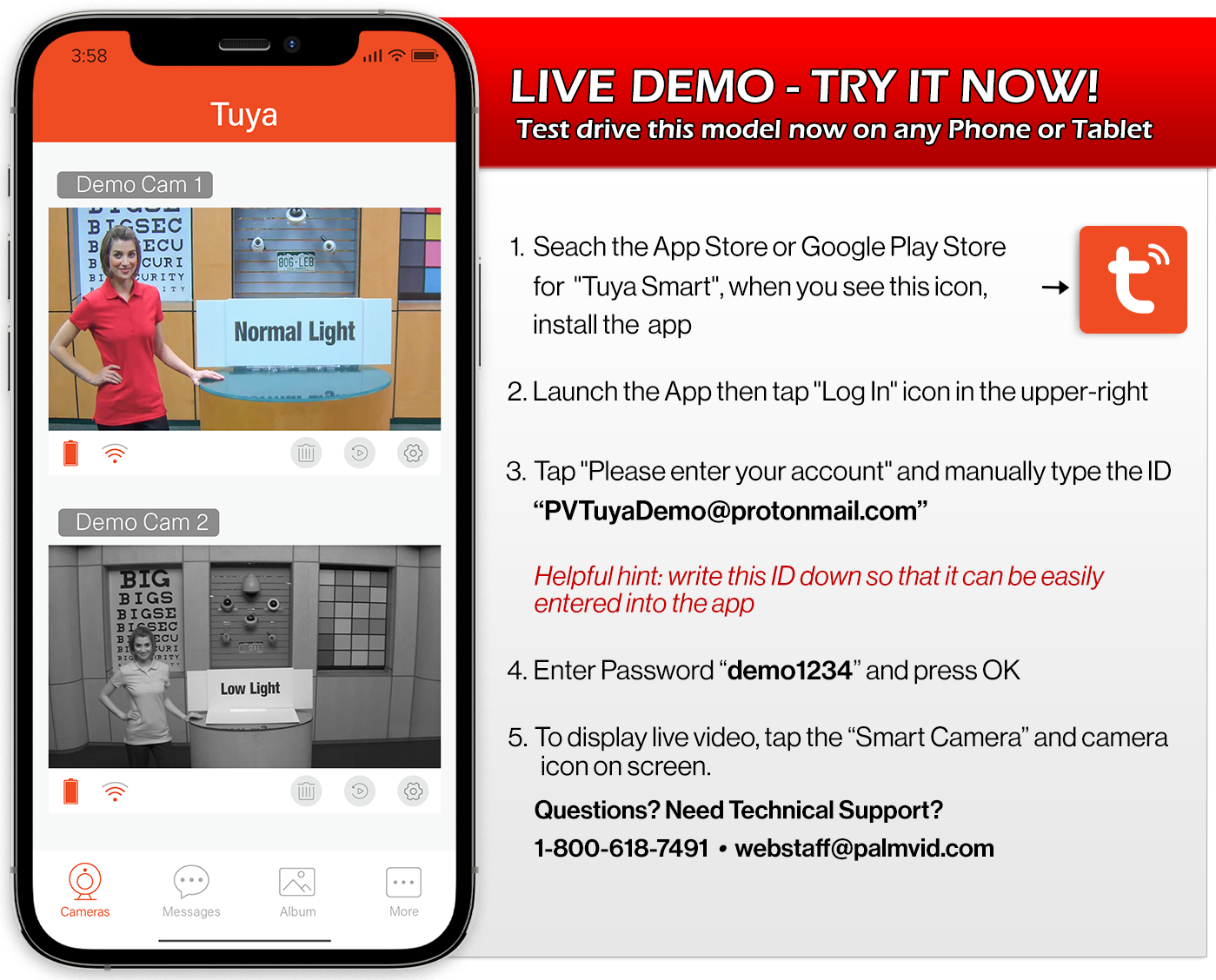
PalmVID Import WiFi Series Hidden Camera
Models
Live Demo 2:
Live View Using
the Free App Software
for Tablets or Smart Phones
|
|
 |
|
|
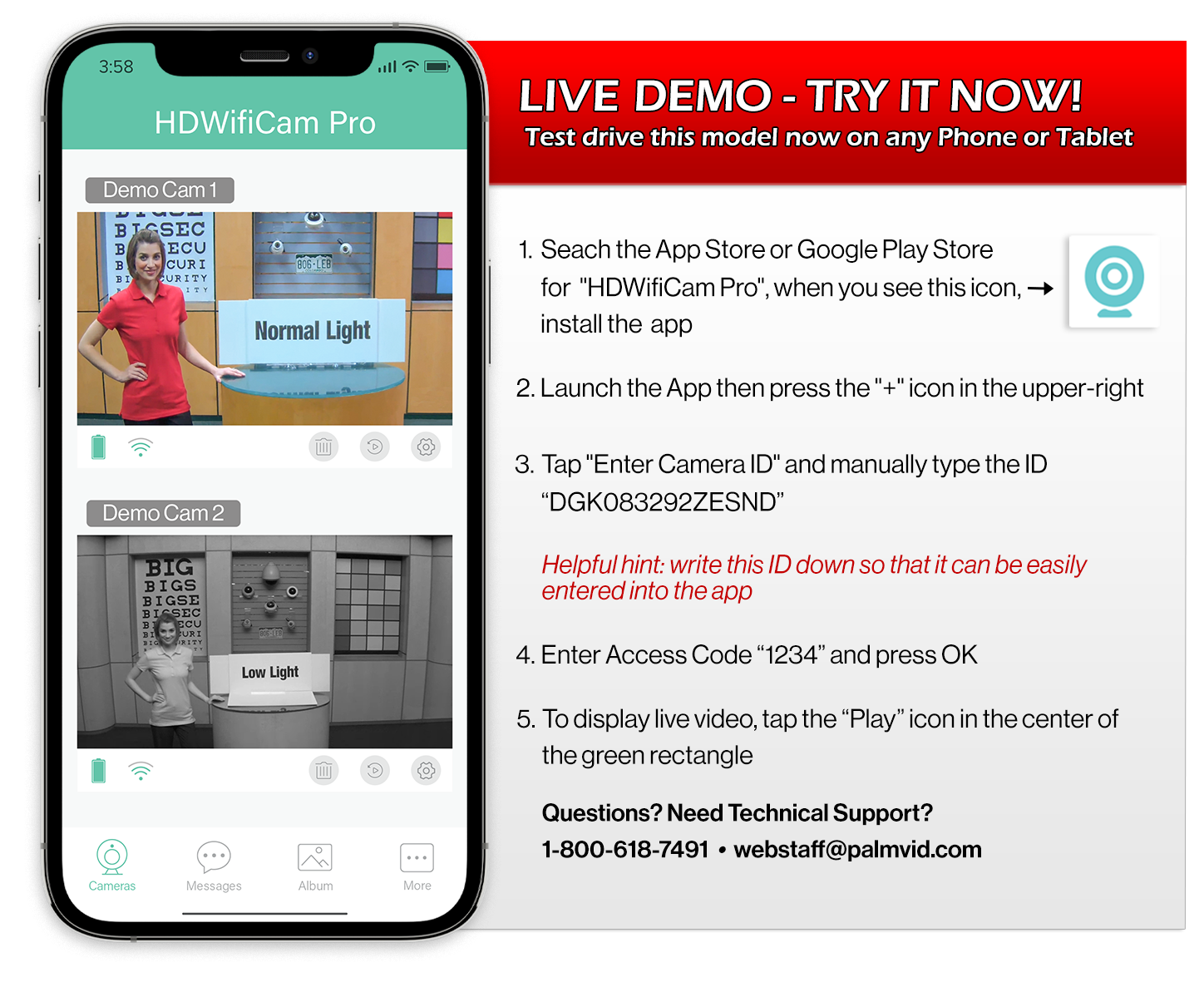
PalmVID Import WiFi Series Hidden Camera
Models
Live Demo 3:
Wide Angle InfraRed Nightvision
Live View Using
the Free App Software
for Tablets or Smart Phones
|
|
 |
|
|
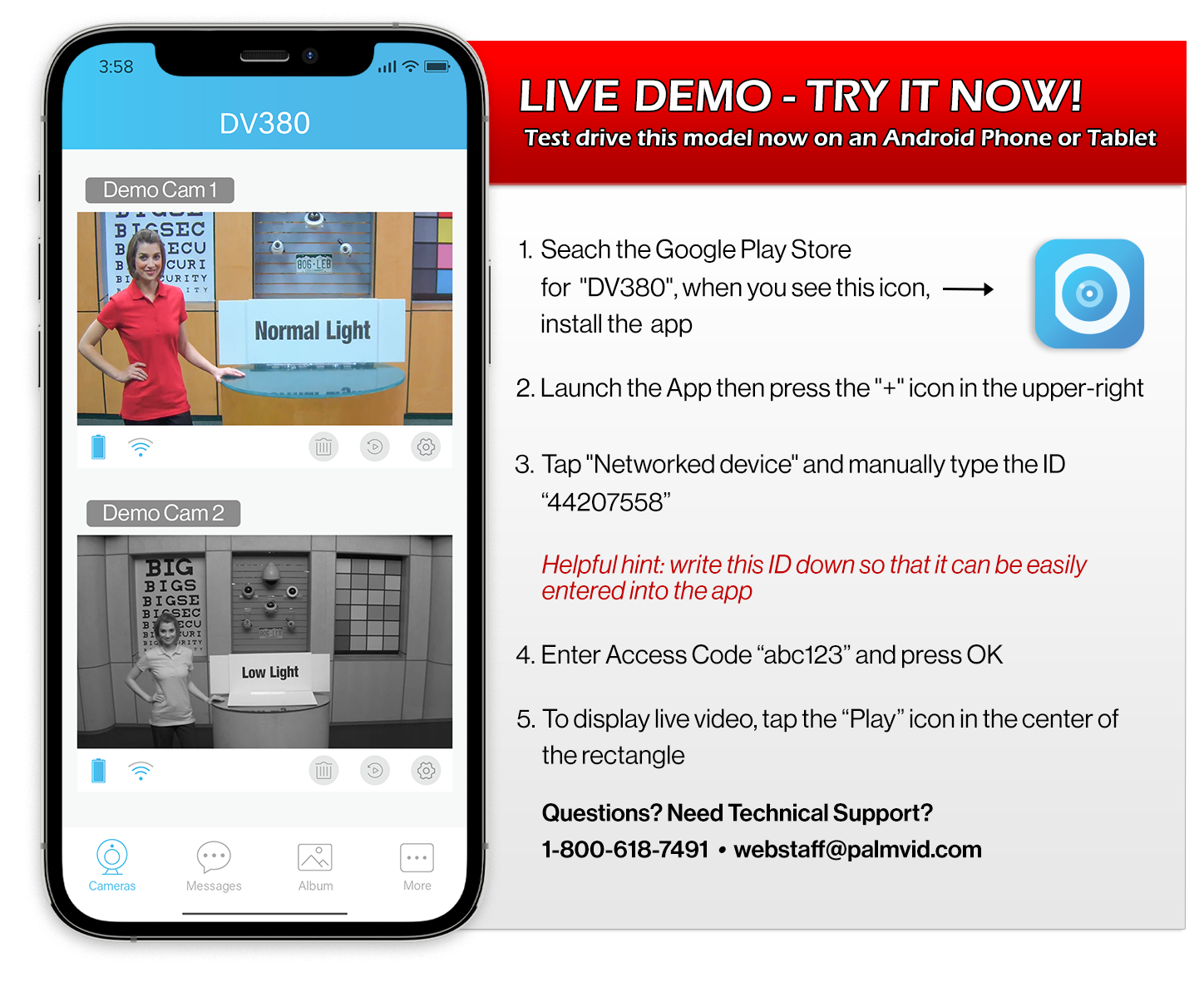
PalmVID WiFi
PIR Series Hidden Camera
Models
Live Demo 4:
Live View Using
the Free App Software
for Tablets or Smart Phones
|
|
 |
|
|
PalmVID WiFi
Series Hidden Camera
Models
Live Demo 5:
Live View Using
the Free App Software
for Tablets or Smart Phones
|
|
 |
OVER
20 DIFFERENT MODELS AVAILABLE
Click Here to View All WiFi Series Hidden Cameras
PalmVID WiFi Series Hidden Cameras can be Viewed Live, Recorded, and Played-Back
from anywhere over the internet on almost any device!
 Loading... Please wait...